Qbit: Open Source Agentic Terminal
The Free and Open Source Agentic Terminal Application
- # AUTHOR
- : ALEXIS EVERAGE
- # DATE
- : 19/05/2026
- # READ
- : 4 MIN
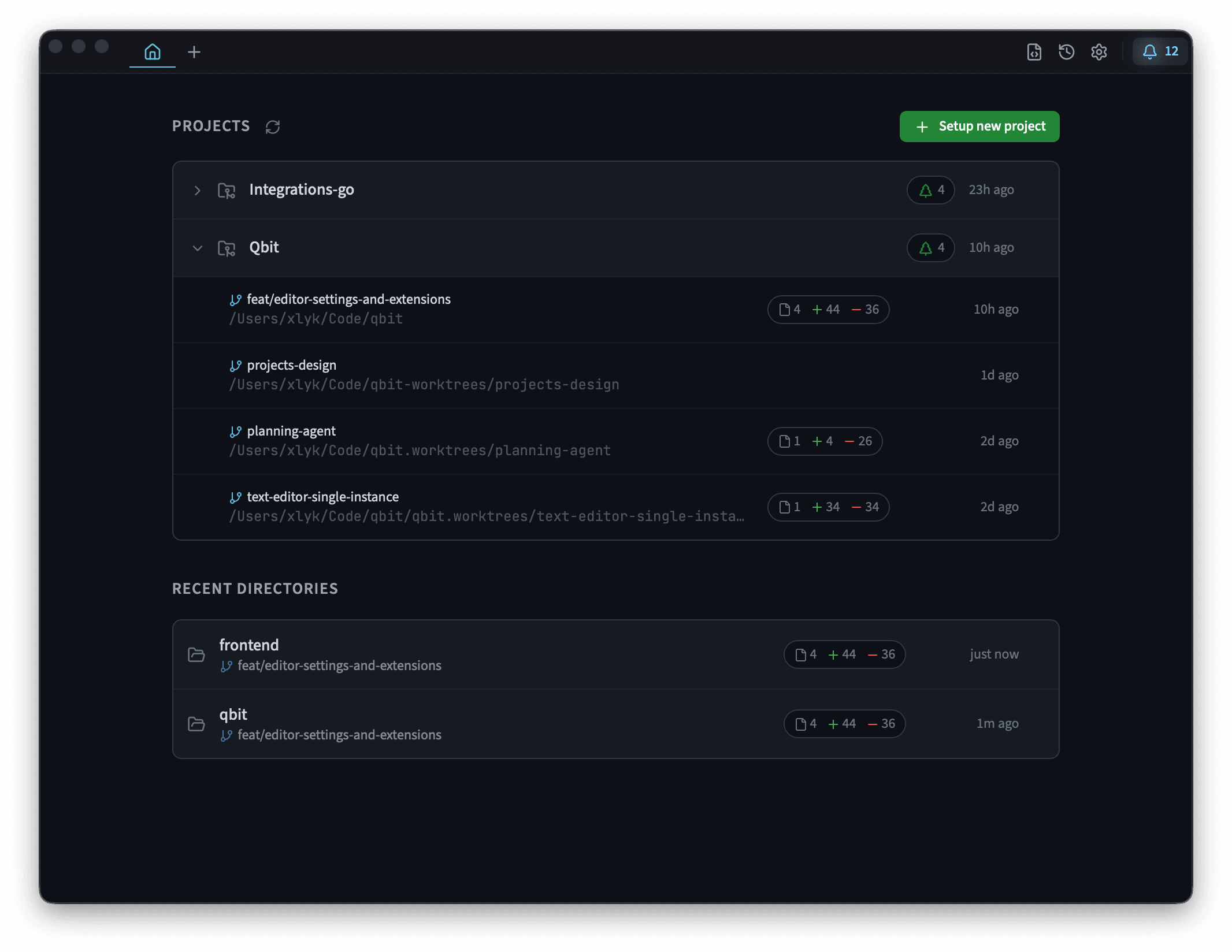
I have spent time working on qbit, and I can honestly say it has been one of the more enjoyable developer-tool projects I have contributed to.
qbit is an open-source, AI-powered terminal built for the way modern development actually feels: part command line, part code review, part debugging session, part conversation with an AI assistant. Instead of treating those as separate workflows, qbit brings them together into one focused environment.
And after working on it from the inside, I think it is absolutely worth trying.
Why qbit Feels Different
There are plenty of AI coding tools now. Some live in the editor. Some sit in a browser. Some wrap a command-line agent. qbit takes a different route: it starts with the terminal and builds outward from there.
That matters because the terminal is still where so much real development work happens. It is where tests run, builds fail, logs appear, Git gets messy, scripts come alive, and problems become concrete.
qbit does not try to hide that. It leans into it.
The experience is built around a unified timeline where terminal activity, AI interaction, tool execution, and development context can live together. That makes it easier to understand not just what changed, but how you got there.
Built for Transparency
One of the things I appreciate most about qbit is its attitude toward transparency.
When AI tools become powerful enough to run commands, inspect files, call tools, and propose changes, visibility becomes essential. Developers should not have to wonder what happened behind the curtain.
qbit is designed to make those actions easier to follow. Tool execution, sub-agent activity, terminal output, and diffs are part of the workflow rather than hidden away. That gives the user more confidence and keeps the developer in control.
As someone who contributed to the project, that philosophy was a big part of what made it satisfying to work on. The goal was not just “add AI to a terminal.” It was to build an AI terminal that developers could actually trust using.
The Development Experience Was Excellent
Working on qbit was genuinely fun.
The stack itself is a good fit for this kind of product. Rust gives the application a strong, reliable foundation, and Tauri makes it possible to deliver a polished desktop experience without the weight of a traditional Electron app.
But beyond the technical choices, what stood out to me was the product direction. qbit has a clear sense of what it wants to be: fast, capable, transparent, and pleasant to use. That clarity makes contributing easier. You are not just adding features into a vague AI wrapper. You are helping shape a focused tool for developers.
It is the kind of project where small improvements can have an immediate impact on the feel of the product. Better flows, clearer UI states, smoother command handling, more useful context, tighter Git integration: all of those details matter in a terminal, and qbit gives them room to matter.
The UI Is a Big Part of the Appeal
qbit also looks and feels good.
That may sound secondary for a terminal, but it is not. A terminal with AI features needs to manage a lot of information: commands, outputs, prompts, model responses, diffs, project state, and tool activity. If the interface is confusing, the whole experience suffers.
qbit’s UI makes the product feel approachable without sanding away its power. It gives structure to complex workflows while still feeling like a serious developer tool.
That balance is hard to get right. It is also one of the reasons I enjoyed working on it. The project clearly values polish, not as decoration, but as part of usability.
Why You Should Try It
If you are a developer who spends a lot of time in the terminal and you are curious about AI-assisted workflows, qbit is worth your time.
Try it if you want an AI terminal that keeps you close to the actual work.
Try it if you care about seeing what your tools are doing.
Try it if you want model flexibility instead of being locked into a single AI provider.
Try it if you like open-source developer tools with ambitious ideas and a polished interface.
It is still the kind of tool you should use thoughtfully. You should review changes, understand commands before trusting them, and bring the same judgment you would bring to any powerful development environment. But that is exactly why I like qbit’s direction: it is built around keeping the developer involved.
Final Thoughts
Contributing to qbit gave me a closer look at what the project is trying to do, and I came away impressed.
It is an excellent AI-powered terminal with a strong technical foundation, a sharp product vision, and a UI that makes the experience feel genuinely enjoyable. I had an amazing time working on it, and I think other developers will enjoy trying it too.
qbit is not just another AI layer on top of your workflow. It feels like a thoughtful attempt to make the terminal itself more collaborative, more transparent, and more powerful.
If that sounds like the kind of tool you want in your development setup, give qbit a try.